Autosave is here in Wagtail 7.3 (and many other great things!)
You've asked for it, and now autosave is here! Plus, block settings, custom accessibility content checks, and more!


Writers since the dawn of written language have been picky about the types of pens they use. And they have a very good reason! When you have the right tool that fits perfectly in your hand and that glides perfectly across the page, you forget it's even there. All you have to focus on is the words.
The same thing is true of software. Every moment you can forget the software is there and you can just focus on the act of creation or the act of discovery or the act of connection is a win. With this release, we focused on how we could give content creators and developers more of those wins. Here are all the ways our new release can help you focus less on fiddling with your CMS and more on doing your best work.
Preserve your work with 🎉AUTOSAVE 🎉
Every content creator of a certain age has a devastating story about losing something they were working on. Whether it was a program crashing at an inopportune time, or your dog deciding your USB drive was a chew toy or a sudden roof leak destroying the laptop with the only full rough draft of your undergraduate thesis on it (true story from the author!), everyone who makes content has a story of work they've lost. And even younger people, who have been spoiled by the ubiquity of autosave, probably have a few experiences of their work being overwritten by bad version control.
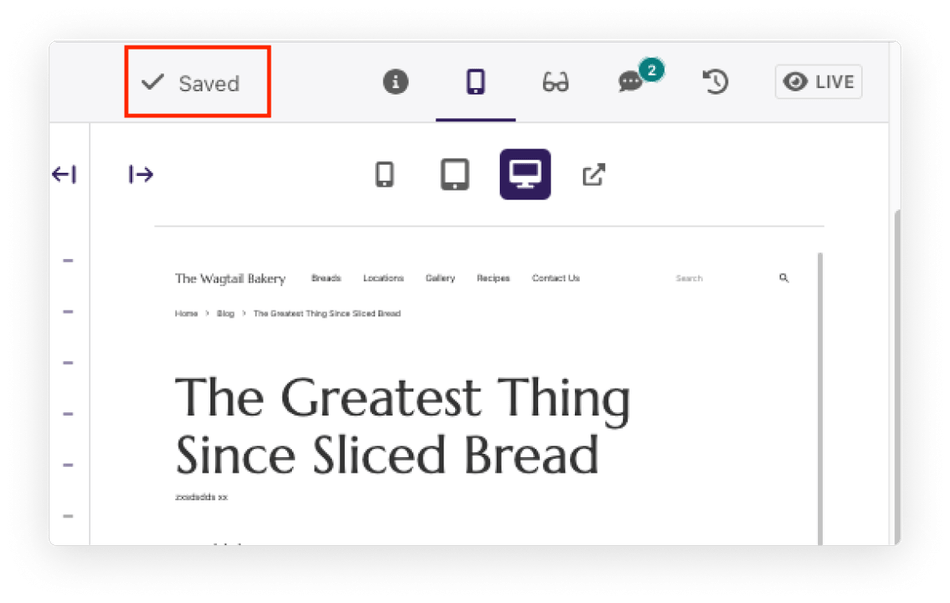
That's why we're thrilled that autosave is here! Now you have one less thing to think about as you sit down to draft your blog post or update a page. You can just write and edit and think about the content without worrying about whether you remembered to save it.
For the most part, autosave will work in the background. Similar to the live previews pausing when there is a piece of mandatory content missing, there are a few circumstances when autosave will pause. For example, if two people are working on the same page and there are conflicting versions, autosave may pause until you resolve the conflicts. If there are validation errors from missing mandatory content on the page, autosave will also pause.
We've been adding features over the past few releases, such as deferred validation and concurrent editing notifications so that we could give you a smooth and minimally disruptive autosave experience. We haven't retired the Save Draft button (yet), but we hope you'll enjoy using it less!
Create settings for your custom blocks
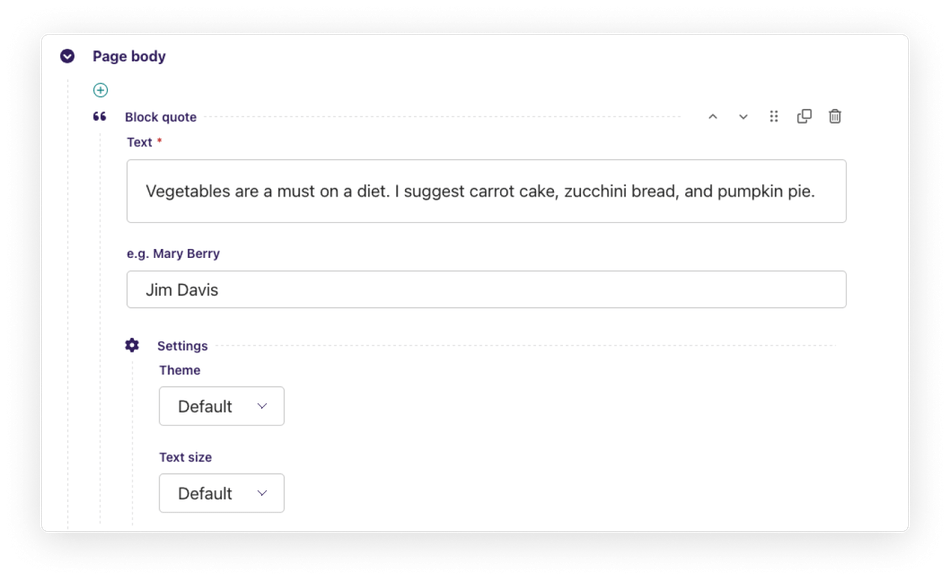
One of the great things about StreamField is that developers can create custom blocks that match their user's specific content needs. One thing developers didn't have control over though is how the custom block is displayed. All the fields would be shown in every block no matter if the field is something a user needs to change every time they use it or if it is something users would change only once in a while.
With Wagtail 7.3., you can create a collapsible Settings section for your custom blocks. So if you have fields that are use rarely changed or rarely used, you can put them under Settings and keep them hidden until a user really needs them. Having fewer automatically displayed fields provides a cleaner, more focused workspace for users and also reduces the amount of space blocks take up on the page. This feature is like adding a hidden desk drawer to your StreamField blocks, only you'll stash data fields there instead of that Mickey Mouse stapler your kid got you for your birthday.
Control the layout of your custom blocks
One other thing developers didn't have a lot of control over for custom blocks was the order of the child blocks within your custom blocks. Wagtail 7.3 gives you more control over how blocks are grouped and what order they appear in. Don't forget developers that with great power comes great responsibility. Building Inception-like block groups with multiple layers of nesting might be fun but are a great way to get angry DMs from editors who need to click through all that.
Optimize your image quality and make your images greener
We have introduced new, greener image defaults for Wagtail 7.3. Specifically, the default settings for AVIF and JPG are lower. The images are 40% smaller while maintaining the same quality. That reduce loading times, and (most importantly) the energy use of loading images. These new defaults will not affect existing images, but you can re-generate them if you want to make the images across your website a bit leaner and greener.
Add custom content checks to the Wagtail accesibility checker
If you have specific accessibility guidelines for your organization, now you can add them to the built-in Wagtail accessibility checker. With this feature, you can provide automatic feedback to content creators about the content tone, readability, SEO requirements, and any other checks you want to add to increase the quality and accessibility of your content. You could even probably create a rule that reminds your editors just how much your Executive Director despises the word "literally", but your accessibility person might frown at that one.
Feed our developer docs and user guide to your favorite LLM
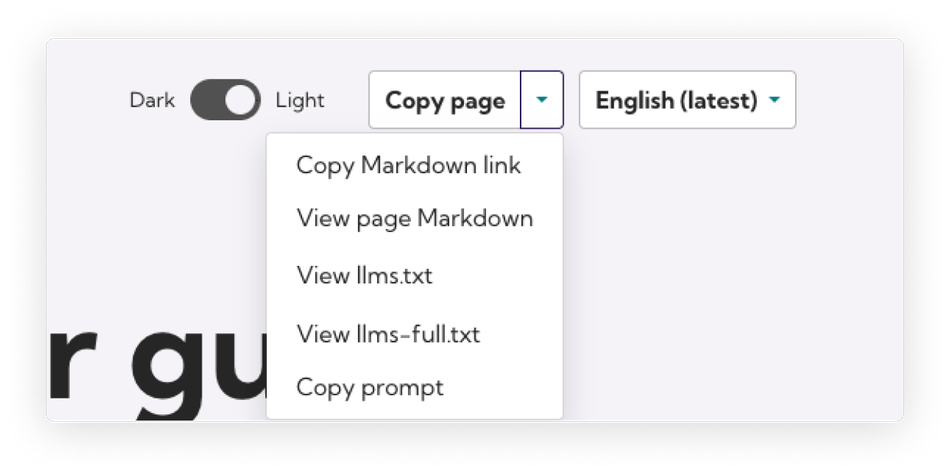
We know more and more folks are experimenting with AI tools. So we've made it easier for you to get all of our developer documentation and the Wagtail User guide in Markdown or the llms.txt format. The Wagtail User guide has a handy shortcut menu for you to copy what you need and the developer documentation has permanent URLs you can use for providing context to your favorite large language model. Your AI isn't going to get everything right about Wagtail, but hopefully providing better context will reduce errors and improve the output you get.
What to watch out for as you upgrade
This isn't a major version release, so nothing should automatically break when you upgrade to Wagtail 7.3. There are some changes we made though that affect particular customizations. This time around, we've made changes to how userbar items are rendered, but those will probably only affect a few packages and projects. If you want to doublecheck if those apply to you, check out the full release notes.
If you run into any issues, file them here. If you need help and your local friendly AI is stumped even after you provide it with our new AI-friendly docs, give our Slack a go or send us a question on StackOverflow.