40% smaller images, same quality
New defaults in Wagtail 7.3: faster page loads, better SEO scores, lower energy use

In our upcoming 7.3 release, we’re tweaking our default image compression settings. The headline result is straightforward: around 40% smaller image weight by default, without a visible drop in quality. That means faster page load times, lower energy use, and carbon footprints. It’s worth explaining why we’re making the change, and how you can adjust for your own site.
The problem we set out to fix
This work started with a perfectly reasonable question in our issue tracker: why are AVIF images consistently larger than WebP in Wagtail?
The short answer is that image “quality” settings are not comparable across formats, and we had set ours as if they were. We used the same numeric default (80) for WebP and AVIF. But image encoders define their compression settings on different scales. If you want similar perceptual quality results between formats, the encoders really should be configured with different quality settings. So nothing was broken per se, but most users didn’t get as much of a benefit from AVIF as they could get.
Here’s a quick before-after to illustrate – the "after" image on the right is 37% smaller, can you spot any quality differences? Probably not.

Consistent quality between formats
We set out to adjust our default image compression, with the goal to:
- Be predictable and safe for most sites. The defaults shouldn’t need tuning for most kinds of images.
- Target equivalent perceptual quality between formats.
- Prefer smaller file sizes where quality differences are imperceptible
Time to stop eyeballing screenshots and start measuring!
Measuring perceptual quality
Before we dive in, a disclaimer: measuring perceptual image quality is tricky, there is no single accepted way to do it. We chose a setup that was workable enough for our needs, it’s not perfect.
So – we focused on a common image pipeline with Wagtail: Willow + Pillow, libjpeg‑turbo for JPEG, libavif for AVIF (subsampling 4:2:0, speed 6). To compare quality, we used:
- The CID22 dataset (250 diverse 512×512 images from Cloudinary)
- The ssimulacra2 perceptual quality metric, also from Cloudinary.
Settling on a single metric and a single dataset where all images are the same size greatly simplifies our work. Here’s a collage of the dataset as an illustration:
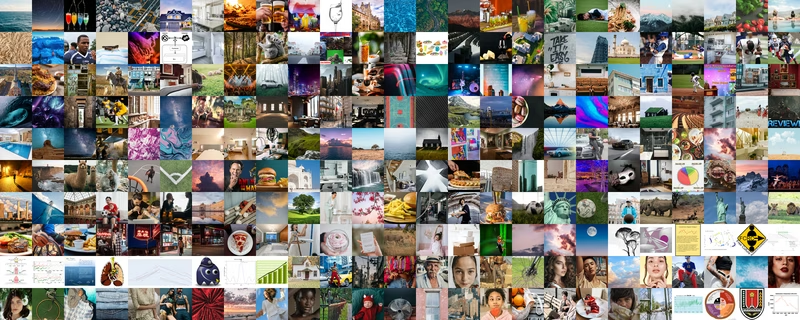
There’s photos of people, scenery, animals, close-ups of nature. Empty scenes, writing, portraits, architecture, computer graphics. All sorts of color palettes, dynamic ranges, contrast levels.
If we assume the dataset’s composition is representative of image contents on Wagtail sites, we can compare distributions: medians and quartiles across the full dataset. This gives us a good sense of what different settings would look like "in aggregate".
If you want to replicate those results, they’re on GitHub: image-quality-benchmark.
Comparison results
We ran our image pipeline across all images, aggregated our distribution metrics, and realized that:
- As expected, AVIF at quality 80 was significantly higher quality than JPEG 85.
- But our WebP compression at 80 was actually achieving lower quality than JPEG 85.
Visualizing the metrics with a box chart style plots, it looks like this:
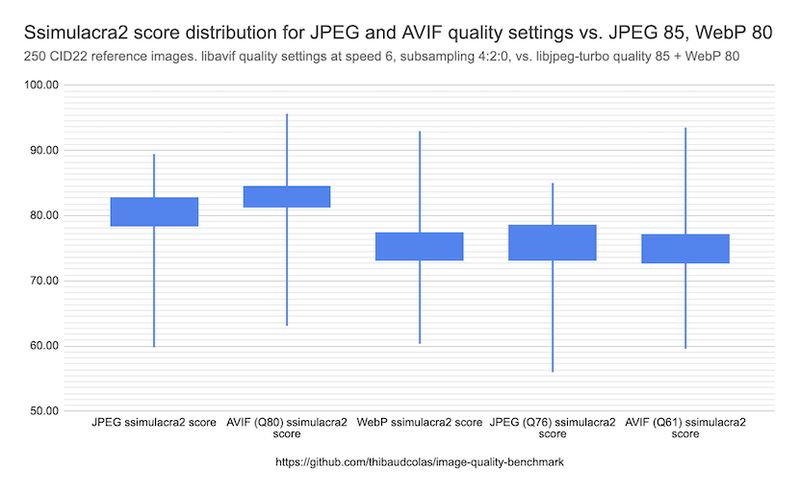
Our pre-existing defaults are on the left side, and clearly not aligned in perceptual quality. So our defaults were inconsistent in both directions.
And the different quality settings on the right show where we arrived at - consistent perceptual quality between formats, with:
JPEG 76 ≈ WebP 80 ≈ AVIF 61
And therefore, substantially smaller file sizes!
What’s changing in Wagtail 7.3
The new defaults in Wagtail 7.3 are:
- JPEG: from 85 to 76. Expecting a ~22% smaller median file size.
- WebP: stays at 80
- AVIF: from 80 to 61. With likely ~37% smaller images.
For most sites, this is a free performance win. For our bakery demo site, for the homepage, the before-after difference is:
- 37.2% lower total image weight
- Gains per image from 29.6% to 68.1%
That’s definitely going to be visible in Core Web Vitals!
Recommended settings
Defaults are a compromise, and our approach might not work for all sites. If you want to be more explicit about quality vs. size, we’ve added an image quality recommendation table to the documentation. Here’s a recap:
- Full-size photography: JPEG 85, AVIF 73, WebP 87
- General-purpose web content: JPEG 76, AVIF 61, WebP 80 (our defaults)
- Large thumbnails: JPEG 65, AVIF 54, WebP 70
- Small thumbnails: JPEG 55, AVIF 49, WebP 57
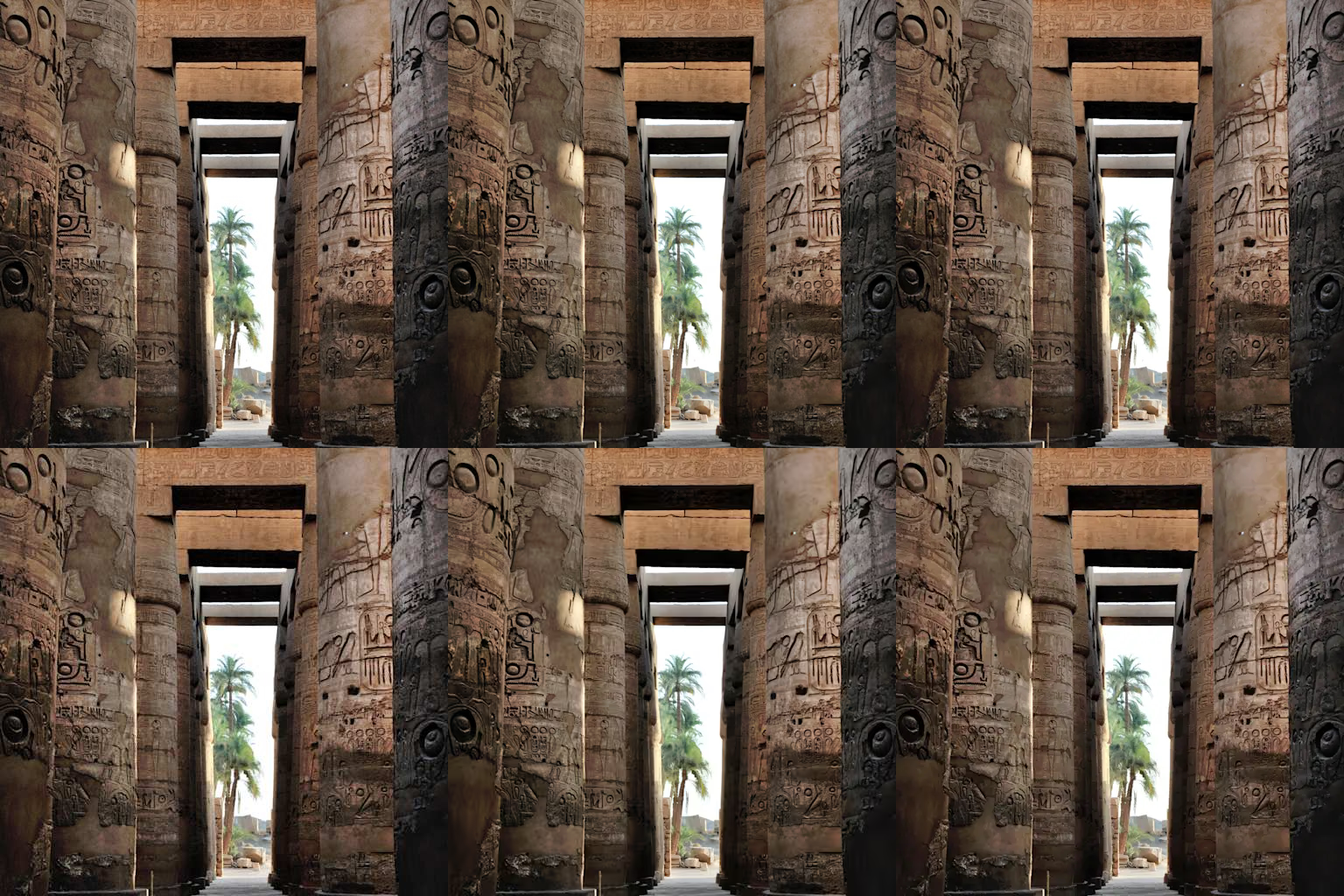
The values are deliberately conservative and should be safe for most content types. If you want to be more aggressive, a simple rule of thumb is to go one row lower than your main use case. If you want to be conservative, go one row up. Even then, for most pictures at common sizes, the difference might not even be noticeable. As an illustration, here are the three file formats with our "top" recommended settings in the top row, and "bottom" settings in the bottom row:
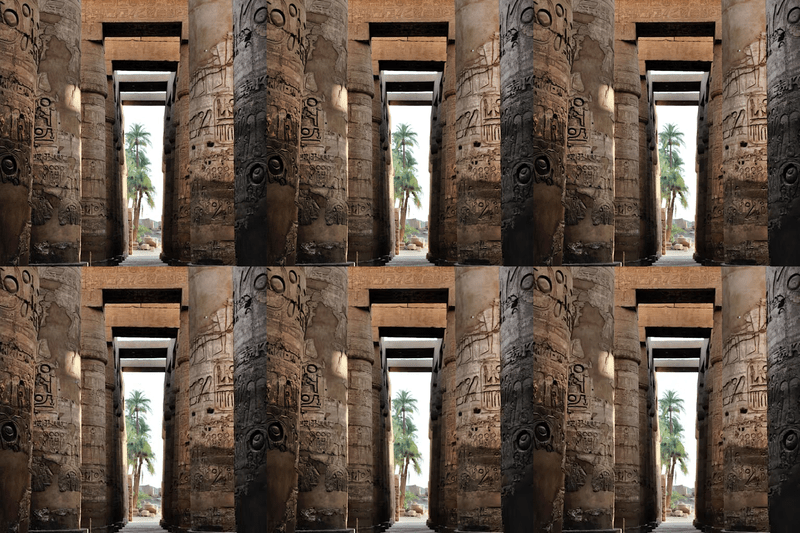
The blog’s compression will get in the way somewhat, but regardless you will have trouble seeing any differences. Open the raw lossless image if you want to check for sure.
What next
This work highlighted how much room for improvement there is to deliver more optimized images, even after years of improvements. We’re not sure what we’ll explore but there are big opportunities ahead:
- Could we switch to format-agnostic quality metrics? "Low" / "Medium" / "High", or perceptual quality perhaps.
- Or target file size instead? For sites wanting to stay on top of a specific performance or energy use target.
- Perhaps a way to set project-wide defaults that auto-adjust based on image size?
- Perhaps more advanced techniques, like selective blurring of image areas well away from the focal point.
- JPEG XL support would be neat, if this does get traction with browsers?!
For now, improving the defaults and documenting sensible options gives us the best return on effort.
Try it out
These changes ship with Wagtail 7.3. If you’re upgrading from an earlier version, you’ll automatically benefit from smaller images with no configuration changes - at least for new uploads. For existing images, it’s up to site implementers to decide if they want to re-generate all image renditions or not.
As always, feedback is welcome. Especially if you have real‑world cases where these defaults don’t behave as expected. Thank you Liam for taking the time to report this issue on our bug tracker!